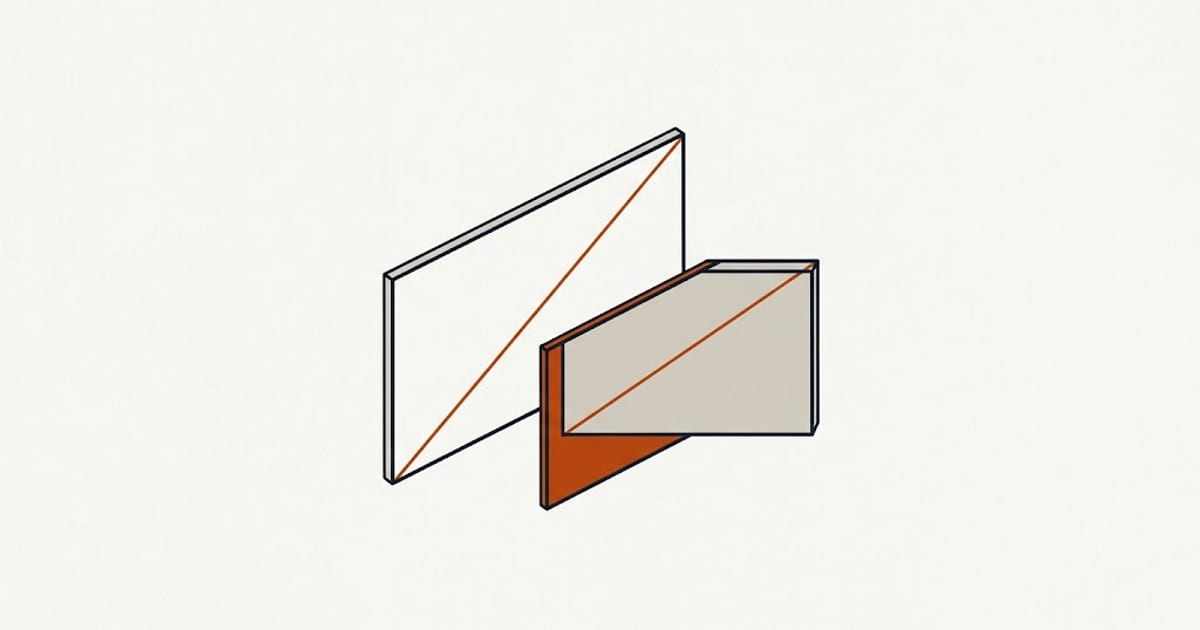
Screen size is the diagonal measurement of the active display area, corner to corner, in inches. It is one number describing a rectangle, so it does not determine the rectangle.
Same diagonal, different screens
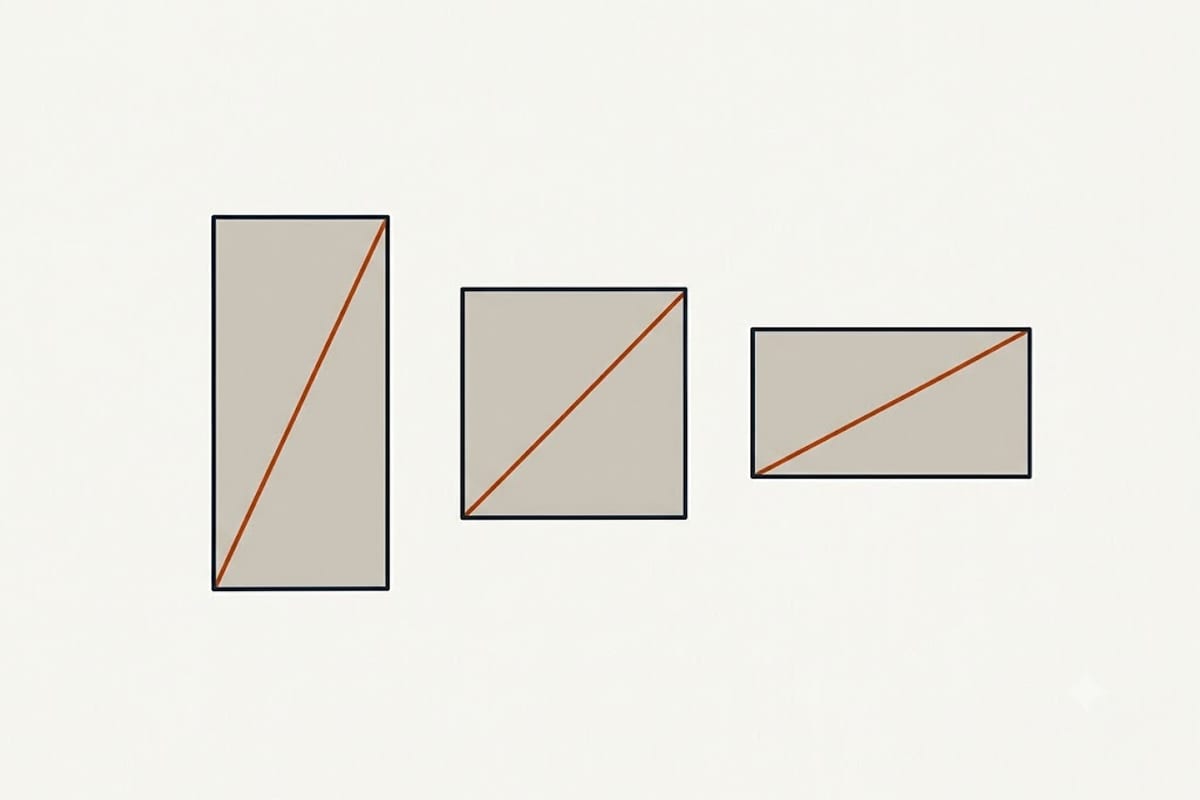
A 14-inch display, at three common aspect ratios:
| Aspect ratio | Width | Height | Area |
|---|---|---|---|
| 16:9 | 12.20 in | 6.86 in | 83.8 in² |
| 16:10 | 11.87 in | 7.42 in | 88.1 in² |
| 3:2 | 11.65 in | 7.77 in | 90.5 in² |
The 3:2 panel has 8% more screen than the 16:9 one at the same advertised size, and nearly an inch more height — which is the dimension that matters for documents, code and web pages.
This is why the shift from 16:9 to 16:10 in laptops over recent years produced machines that feel noticeably larger without changing the number on the box.
Pixel density
PPI = √(width² + height²) ÷ diagonal
| Resolution | Diagonal | PPI |
|---|---|---|
| 1920 × 1080 | 15.6 in | 141 |
| 1920 × 1080 | 14 in | 157 |
| 2560 × 1600 | 14 in | 216 |
| 2880 × 1800 | 14 in | 243 |
| 3840 × 2160 | 27 in | 163 |
| 3840 × 2160 | 32 in | 138 |
| 2556 × 1179 | 6.1 in | 461 |
The same 4K resolution is a sharp 27-inch monitor and an ordinary-looking 32-inch one. Resolution alone says nothing about sharpness without the size beside it.
Around 150 PPI at desk distance is the point where individual pixels stop being visible for most people. Phones are held closer, which is why 400+ PPI is normal there and not overkill.
Phone sizes overstate what you see
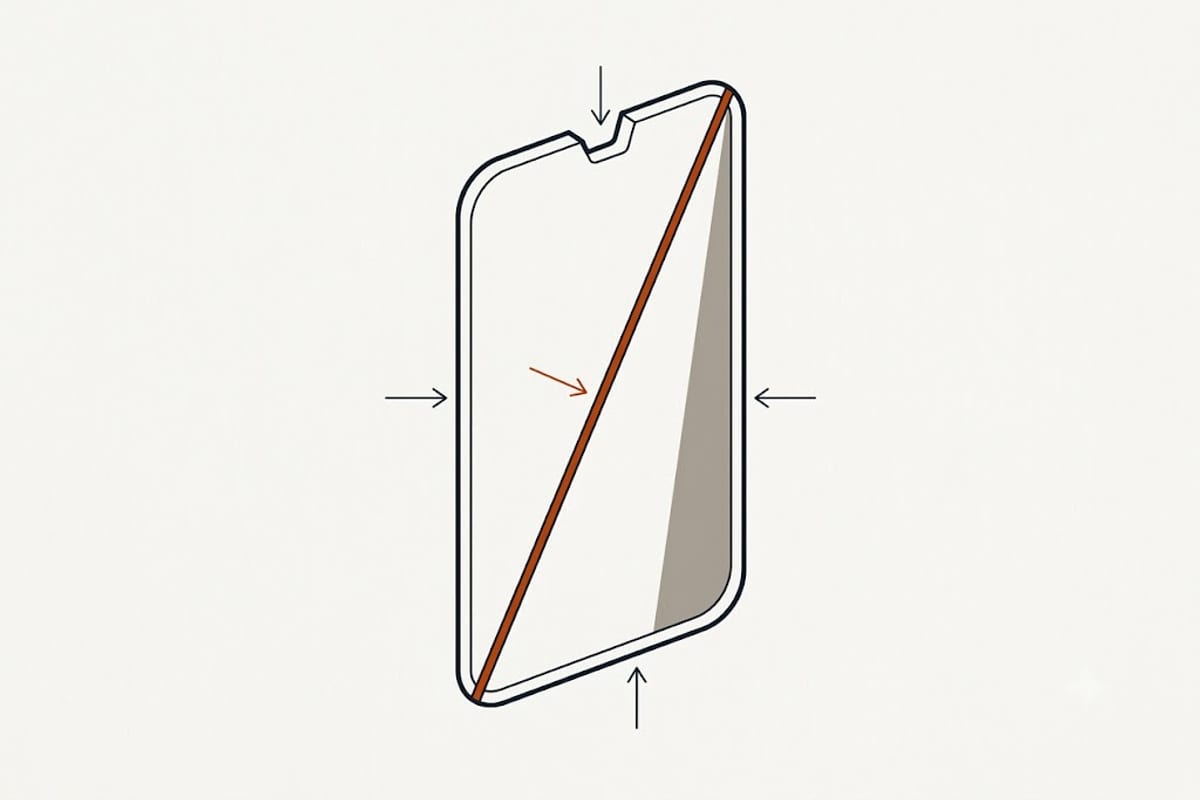
A phone advertised at 6.1 inches is measured as if the display were a plain rectangle with square corners. Two things are counted that you cannot use:
Rounded corners. The measurement runs to the theoretical corner point, past where the panel actually ends.
Camera cutouts and notches. Counted as display area in the specification.
The practical consequence is that phone diagonals are comparable with each other but not with a rectangular screen of the same figure, and that a taller aspect ratio — most phones are now near 20:9 — makes a 6.1-inch phone narrower than a 6.1-inch screen from the 16:9 era.
TVs and monitors: the useful conversions
For a 16:9 display, the diagonal converts directly:
| Diagonal | Width | Height |
|---|---|---|
| 24 in | 20.9 in | 11.8 in |
| 27 in | 23.5 in | 13.2 in |
| 32 in | 27.9 in | 15.7 in |
| 43 in | 37.5 in | 21.1 in |
| 55 in | 47.9 in | 27.0 in |
| 65 in | 56.7 in | 31.9 in |
| 75 in | 65.4 in | 36.8 in |
Width = diagonal × 0.872. Height = diagonal × 0.490. Those two multipliers answer the question people actually have, which is whether it fits the wall or the desk.
Ultrawide monitors at 21:9 and 32:9 break the multipliers entirely — a 34-inch ultrawide is much wider and much shorter than a 34-inch 16:9 screen would be, and its area is smaller than the diagonal suggests.
What to check before buying
The aspect ratio, not just the diagonal. It changes area and it changes shape.
The physical dimensions with the bezel, if it has to fit a space. Panel size and chassis size are different measurements, and the gap varies by several inches on TVs.
Resolution together with size, since neither is meaningful alone.
Reading the full model designation rather than the marketing size is the same discipline that governs memory, ink and charger wattage.